Project detail
Client Portal - Questions Module
The Client Portal is a web-based module within Xenett, designed to improve how accountants and clients communicate during ongoing accounting workflows.
Web-based module
8 months
Xenett
Overview
The Client Portal is a web-based module within Xenett, designed to improve how accountants and clients communicate during ongoing accounting workflows.
Before this module, all communication happened through emails. This resulted in delayed responses, unclear context, unstructured attachments, and frequent follow-ups. I worked on designing a dedicated client-facing portal that replaces emails with a clear, structured, and secure web experience.
The web app is optimized for desktop usage, where clients usually review detailed questions, documents, and transaction-related information.
My Role
UI/UX Designer
My responsibilities included:
Analyzing gaps in email-based client communication
Defining user flows for accountant–client collaboration
Designing a client-friendly portal for non-technical users
Structuring questions, conversations, and attachments
Creating wireframes and high-fidelity web UI
Tools Used: Figma
Problem
Email-based communication created consistent friction for both accountants and clients:
Clients missed or delayed email responses
There was no clear visibility into pending or resolved questions
Accountants spent significant time on follow-ups
The core issue was not communication itself, but the lack of structure and visibility.
Goal
Design a Client Portal that:
Centralizes all accountant–client communication
Makes questions easy to understand and act upon
Allows fast responses using text, voice, or files
Clearly shows what is pending and what is completed
Completely removes dependency on email
User Flow
The client experience was intentionally kept simple:
Login
→ Dashboard
→ Questions List
→ Question Details
→ Reply (Text / Voice / Attachment)
Clients can also raise new questions directly from the portal.
Key UX Decisions
Login & Welcome Screen
This screen is designed to provide a secure yet friendly first impression for clients accessing the portal.
A clean and minimal layout keeps the focus on login actions
Email and PIN-based login feels simple and secure for non-technical users
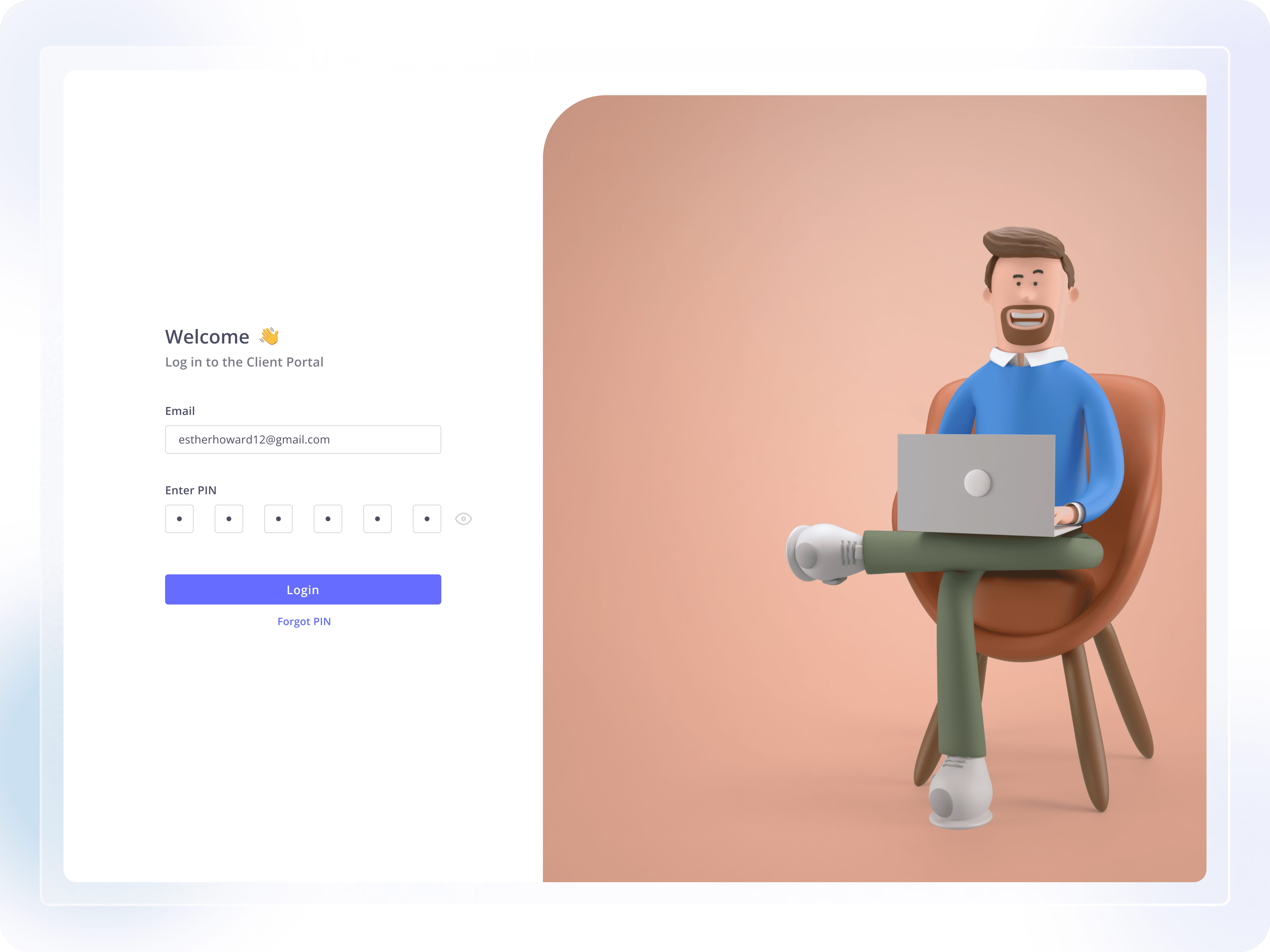
Clear input fields reduce errors during authentication
Primary action button stands out for easy completion
Friendly illustration helps make the experience welcoming, not intimidating
“Forgot PIN” option supports recovery without friction
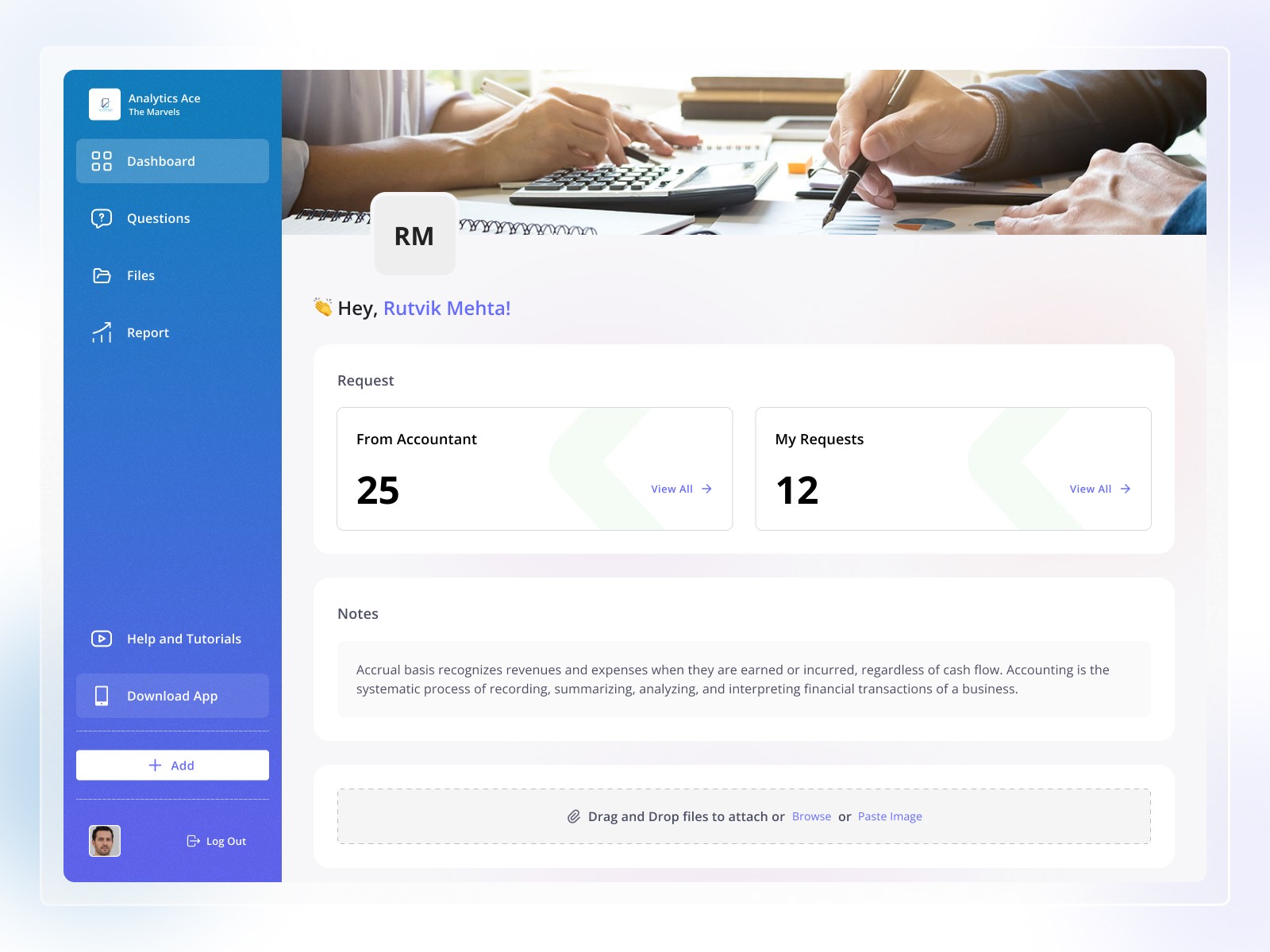
Dashboard
The dashboard provides:
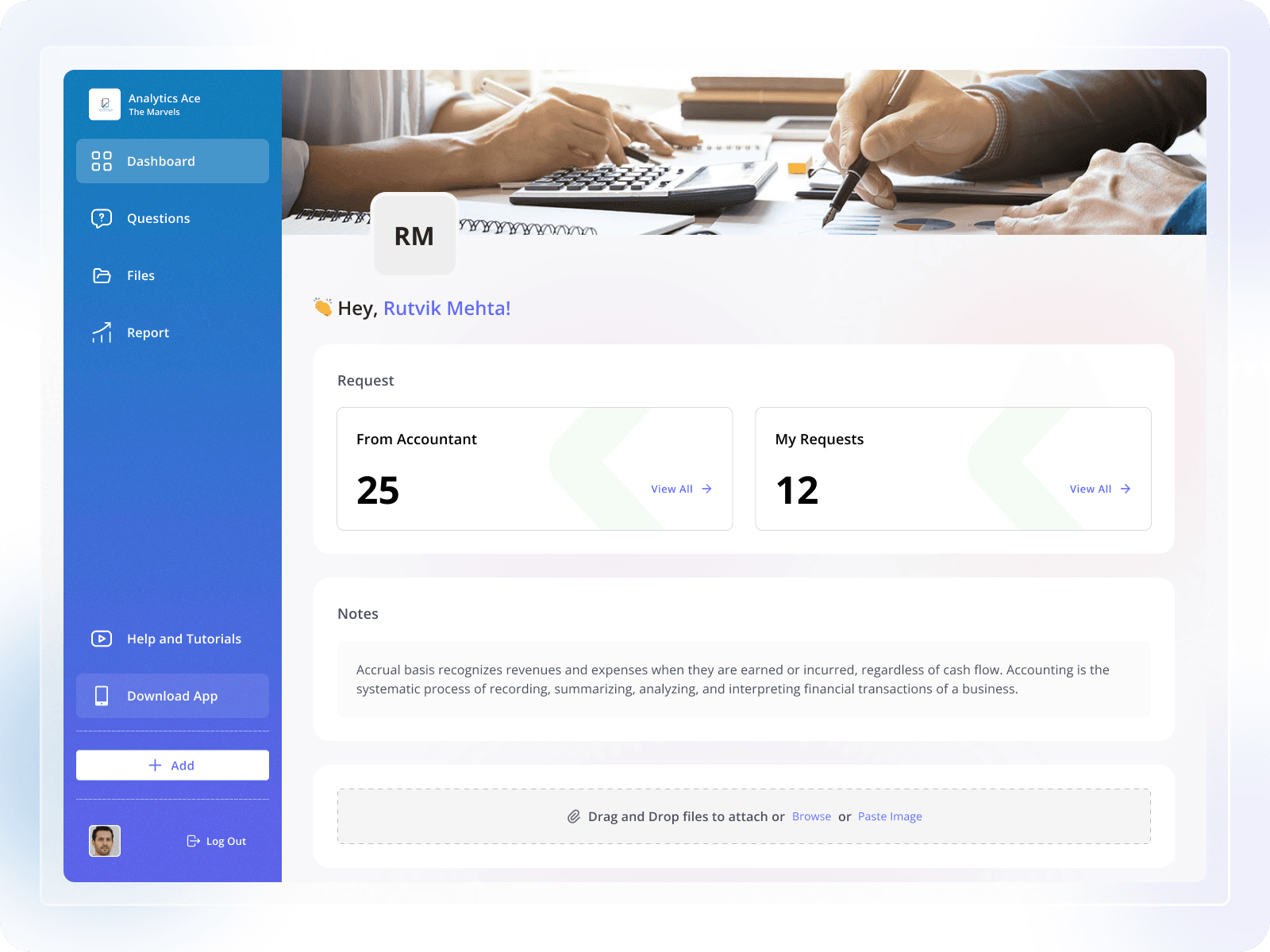
A personalized welcome message
High-level summary cards for active requests
Clear navigation to Questions, Files, and Reports
Ask Question (Modal)
The “Ask Question” modal is designed to help accountants raise clear and structured questions without leaving their current context.
A modal layout keeps users focused while staying within the same workflow
Large input area encourages clear and complete questions
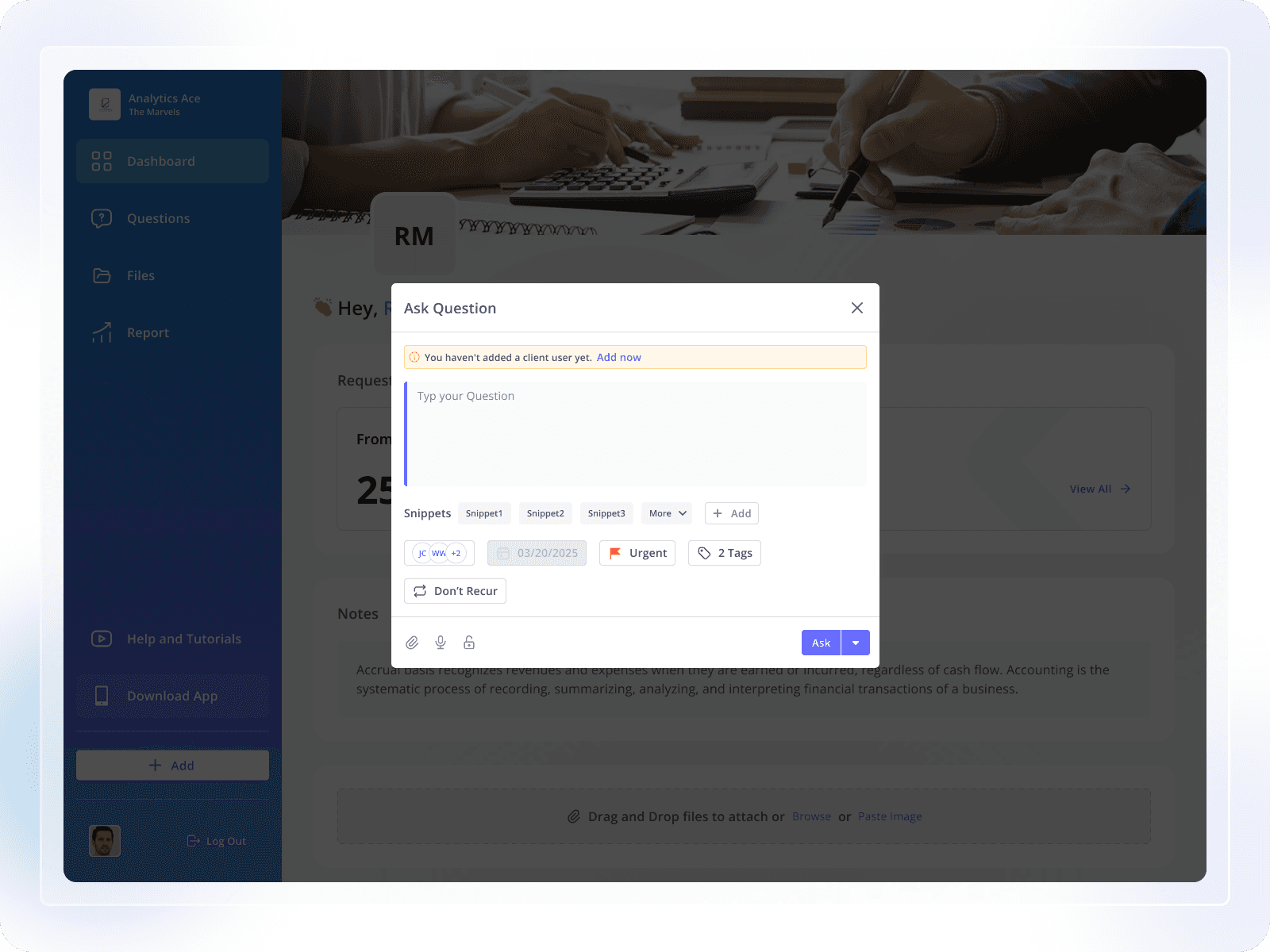
Snippets help speed up repetitive or commonly asked questions
Priority, due date, and tags add structure and improve follow-ups
Attachment and voice options support different ways of sharing information
Clear primary action makes it easy to submit the question
Questions List & Quick Response
This screen helps clients view, understand, and respond to multiple questions efficiently from one place.
Questions are grouped into transactional and general categories for clarity
Clear status tabs (To Respond / Responded) help users track progress
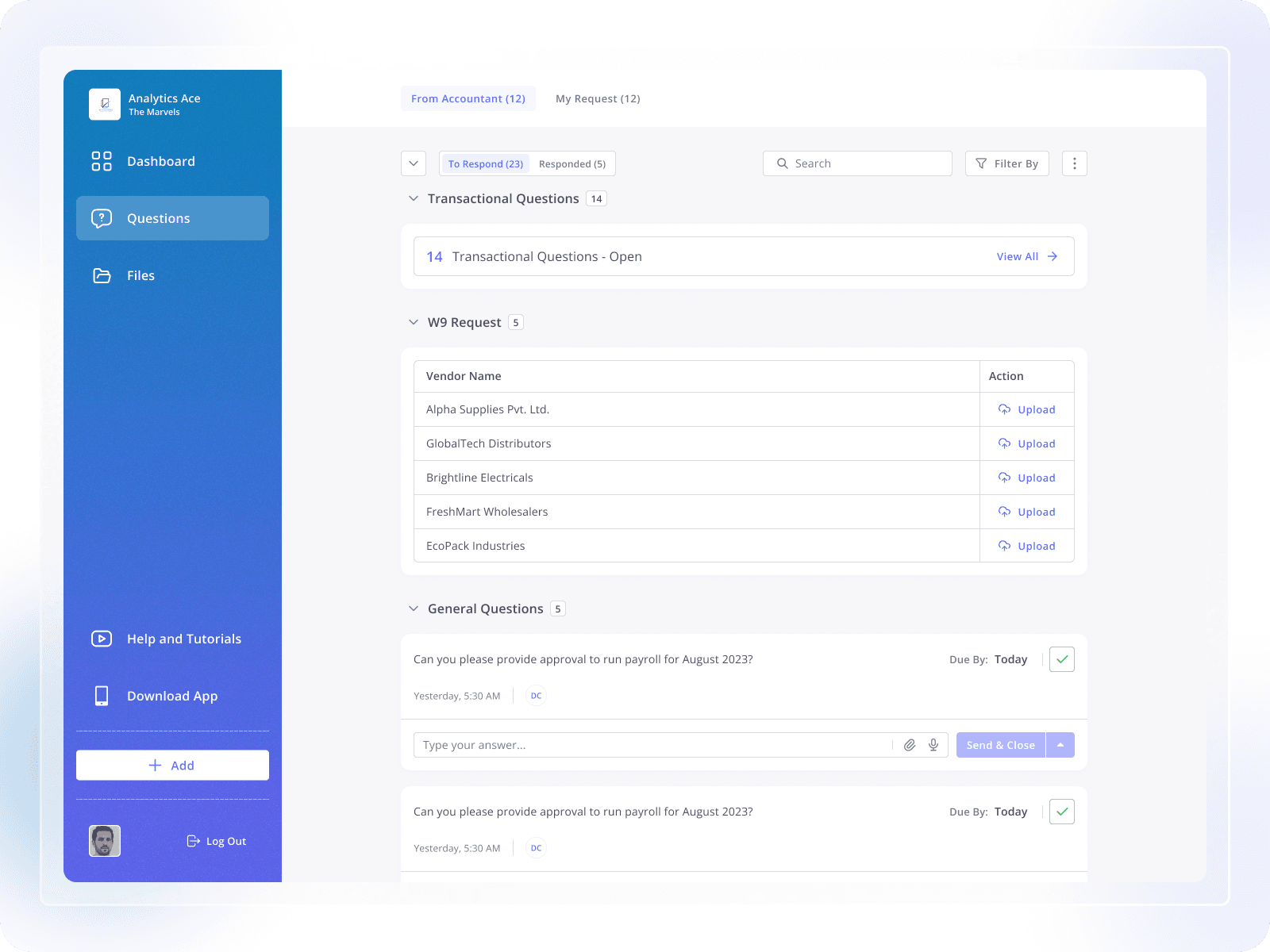
Search and filter options support faster navigation in long lists
Transactional requests show structured data for quick understanding
Inline reply option allows users to respond without opening a new screen
Due-date indicators help users prioritize time-sensitive questions
Responded Questions & Conversation View
This screen helps clients easily view questions that are already answered.
Answered questions are shown separately from pending ones
Questions are grouped so users can find them quickly
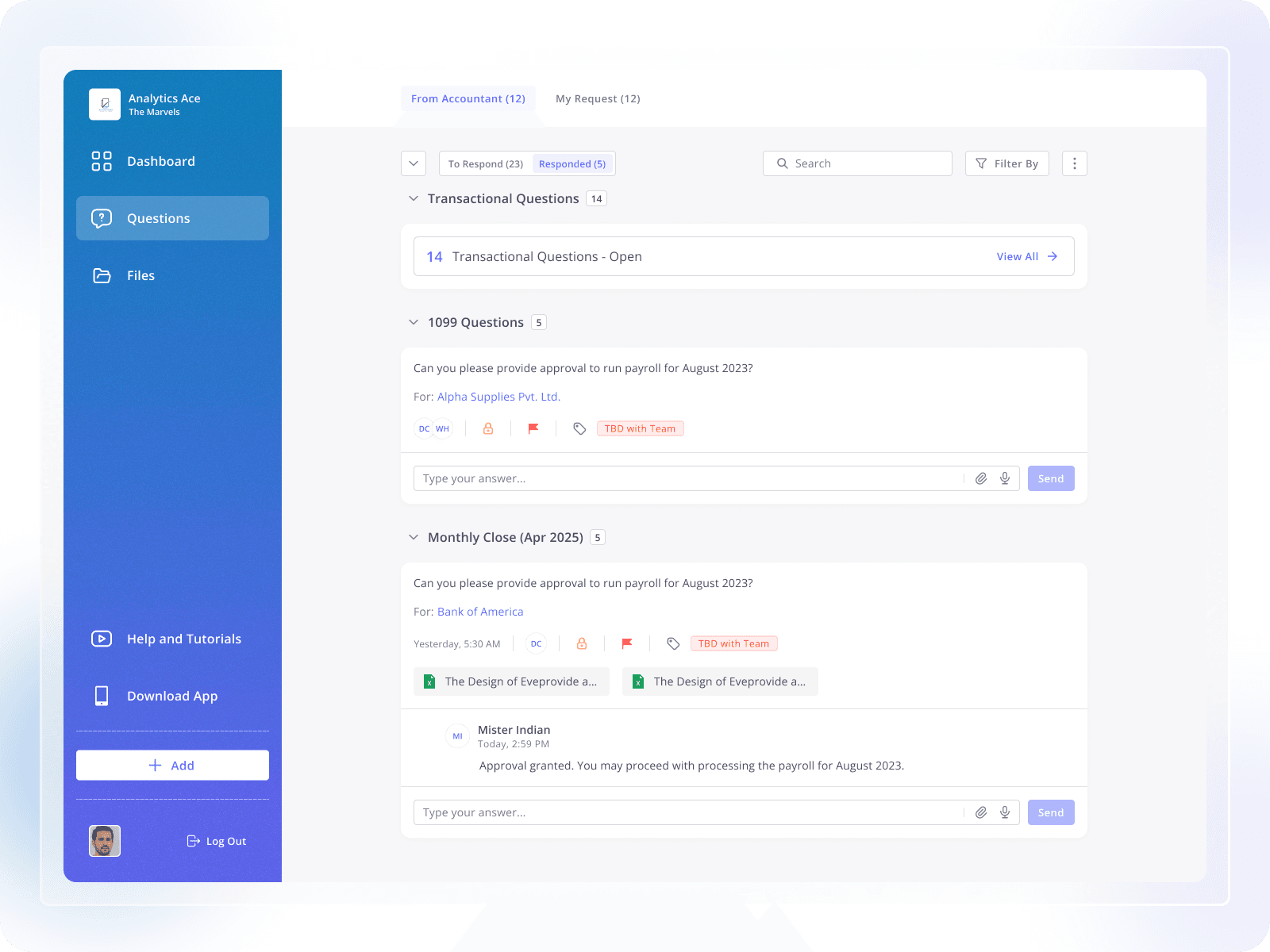
Full conversation is visible for better understanding
Attachments stay connected to the same question
Clear status shows that the task is completed
Users can reply again if more clarification is needed
My Requests (Client-Raised Questions)
This screen shows questions that are created by the client.
Clients can see all their own questions in one place
Open and responded status helps track progress easily
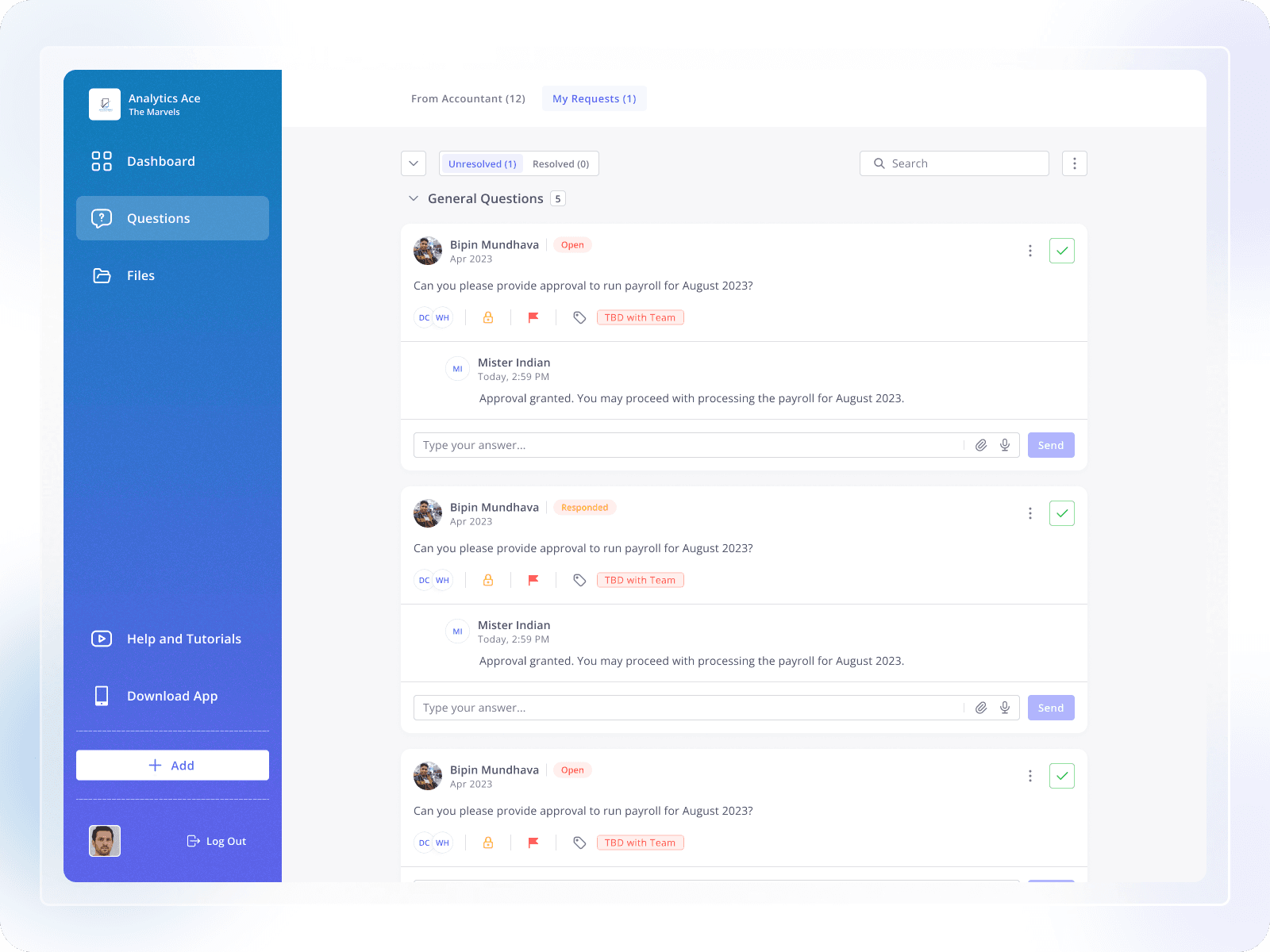
Full conversation stays visible under each question
Clients can add more replies if needed
Clear layout makes it easy to follow updates
Visual Design
Clean, professional color palette
Card-based layouts for readability
Clear typography for content-heavy screens
The UI is intentionally calm and trustworthy, matching the expectations of accounting workflows.
Outcome
After introducing the Client Portal:
Email dependency was significantly reduced
Client response times improved
Questions and documents became easier to track
Accountants spent less time on manual follow-ups
Key Learnings
Structure is more important than flexibility for non-technical users
Clear status visibility improves accountability
Voice input reduces response hesitation
Replacing email with purpose-built UX improves efficiency
Final Thoughts
This project helped me design a role-based web experience that balances clarity, control, and ease of use. Instead of layering features on top of email, we solved the root problem by designing a system built specifically for accounting communication.
This case study reflects my approach to simplifying complex workflows into practical, user-friendly products.
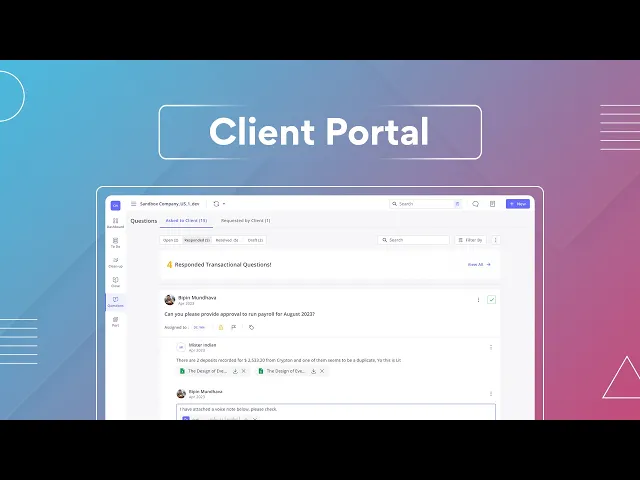
Client Portal Web App:-
Client Portal UX Case Study showcasing a web app designed to simplify communication between accountants and clients by replacing email workflows with a clear, structured experience for answering questions and sharing documents.
